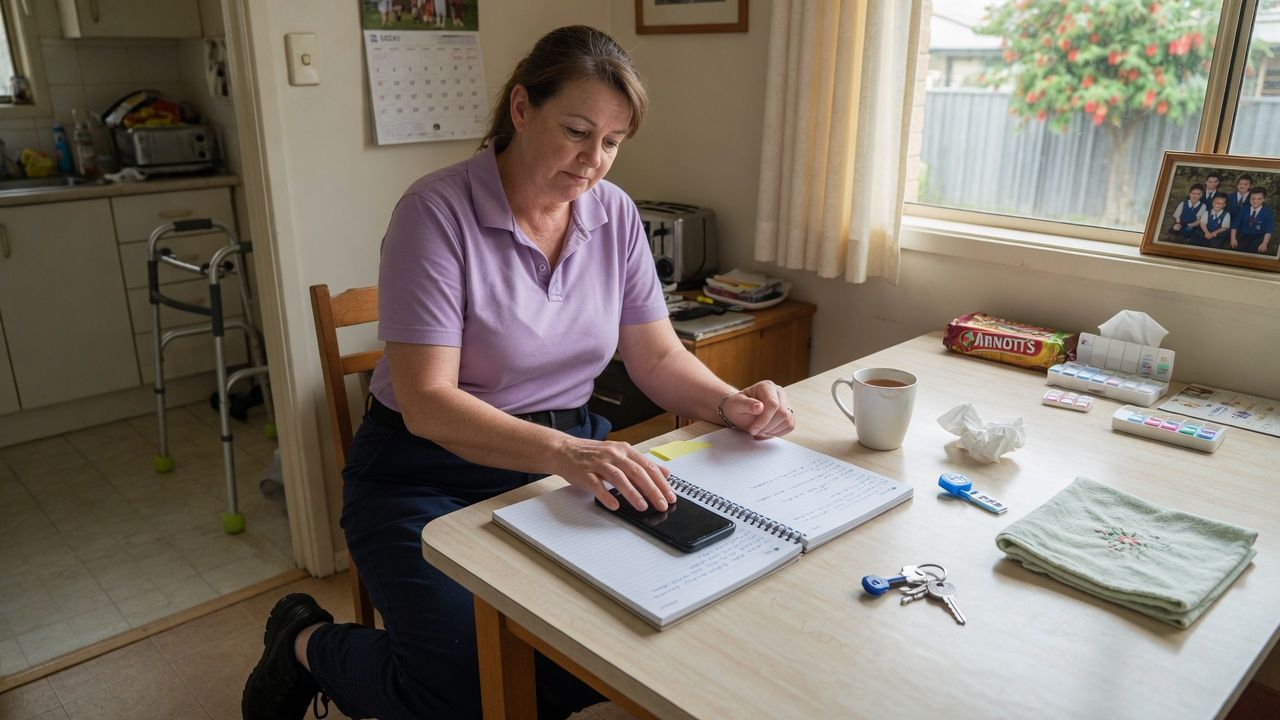


A phone in a home care worker's pocket can become a privacy incident in one tap. Photography privacy home care rules exist because the workplace is a private lounge room, bedroom or bathroom, not a public clinic corridor. Clients, families and workers all need clear limits on photos, video, audio and social media.
Base local procedure on your Photography, Recording and Social Media Policy Template, Privacy and Confidentiality Policy Template, and Code of Conduct and Ethics Policy Template.
Key Takeaways
- Default rule: no photos, video or audio unless a documented purpose and consent exist.
- Clinical images need purpose limitation, secure storage and retention rules, not personal camera rolls.
- Family filming of staff requires a managed response, not an on-the-spot argument.
- Staff social media must never identify clients, homes or visit details.
- Breaches need fast containment, notice pathways and training follow-up.
Why Home Settings Raise the Stakes
Images can reveal addresses, family members in the background, medication shelves, religious items, and the inside of a bedroom. Even a “harmless” selfie at the front door can locate a vulnerable person. Mobile field work already expands data risk; see Home Care Data Security for Mobile Field Teams and your Cybersecurity and Data Governance Policy for device controls that sit beside photography rules.
Consent and Purpose
Record consent for any approved recording: who consented, for what use (wound review, training, incident evidence), where it will be stored, who can view it, and when it will be deleted. Consent for care is not consent for marketing. Consent for a wound photo is not consent for a team chat meme.
Clinical Photography
When clinical images are justified:
- use approved devices and apps only
- frame to the clinical need; avoid faces unless required
- upload to the clinical record promptly
- delete local copies per procedure
- never send via personal SMS or open social apps
If the approved channel is down, do not improvise with personal cloud albums.
Families Filming Staff
Families sometimes record for accountability or conflict. Train workers to stay calm, continue safe care where appropriate, state that recording should be discussed with the office, and report the event. Policy should say whether covert recording is accepted, how managers respond, and when service redesign is needed. Do not instruct staff to seize phones.
Staff Social Media
Prohibit posting of clients, homes, vehicles at addresses, rosters, and incident details. “I did not name them” is not a defence when the street or uniform context identifies the person. Apply the same rule to closed friend groups.
Breach Response
Contain the image, preserve evidence, assess who was affected, notify through privacy and incident pathways, and complete training or disciplinary steps as required. External regulators may include the Office of the Australian Information Commissioner for personal information issues and the Aged Care Quality and Safety Commission for provider quality and safety issues.
Approved Devices and Technical Controls
Policy fails when staff only have personal phones. If clinical photography is part of your model, provide a managed pathway: MDM controls, blocked open sharing, automatic upload to the record, and remote wipe. If you cannot fund that pathway, narrow clinical photography to roles that have the equipment, or use in-person nursing review instead of images. A rule that says “use the approved app” with no app is an invitation to workarounds.
Disable cloud backups of clinical images to personal accounts. Test this during onboarding, not after a breach.
Training Content That Sticks
Show real failure examples with identifying details removed: a staff selfie that included a street sign, a wound photo in a family group chat, a TikTok filmed from a client driveway. Ask staff to mark what went wrong. Pair that with the correct workflow for a legitimate wound image. End with how to report a mistake quickly without waiting for a manager to “find out later”. Early self-report should be culturally safer than concealment.
Marketing and Fundraising Exceptions
Home care marketing teams sometimes want client stories and photos. Those requests need a separate, stricter consent process, time limits, and the right to withdraw. Never harvest images from clinical systems for marketing. Never ask a support worker to “quickly grab a photo for LinkedIn” during a clinical visit. If a client is happy to participate in a planned storytelling session, run it as a scheduled activity with communications staff present, not as a field improvisation.
Covert Recording and Lawful Interest Claims
Staff sometimes want to record a hostile family interaction “for protection”. Covert recording laws and industrial expectations are jurisdiction-sensitive and easy to get wrong. Default policy should prohibit covert recording by staff and offer safer alternatives: exit the home when unsafe, call on-call, use duress processes, and write a factual note immediately after. If legal advice in your state supports a narrow exception, write that exception explicitly; do not leave staff to invent it.
Contractors, Students and Visitors
Students on placement and allied health contractors bring their own phone habits. Cover photography rules in every placement briefing and contractor induction. Confiscating phones is not the goal. Making the rule impossible to miss is the goal. A single student story post can damage client trust across a whole caseload.
Incident Scenes and Evidence Photos
After a fall or property damage, staff may want photos for the incident file. Allow this only under incident procedure: minimum necessary images, no bystanders identifiable if avoidable, upload to the incident system, and delete local copies. Do not photograph other clients' information visible in the room. If police or ambulance are present, follow their directions and still meet your privacy policy for any images your staff take.
Incident photos are not training stock. Reuse for education needs separate approval and de-identification.
Client-Requested Recordings of Care
Some clients want to record medication prompts or physio exercises for later. That can be legitimate. Set rules: recording should not capture other clients or staff without agreement, storage stays with the client, and staff may decline if the recording creates safety or privacy risk. Put agreed use cases in the care plan so workers are not negotiating alone.
Audit Sampling for Privacy Walkthroughs
Quarterly, sample devices and chat channels used by field teams for forbidden client images. Check that former staff lost app access. Review any marketing assets for home care clients against consent registers. Privacy walkthroughs catch drift that policy rereads miss. Report findings to governance with corrective actions and owners.
Related Resources
- Photography, Recording and Social Media Policy Template
- Privacy and Confidentiality Policy Template
- Cybersecurity and Data Governance Policy
- Home Care Data Security for Mobile Field Teams
- Code of Conduct and Ethics Policy Template
- Office of the Australian Information Commissioner
- Aged Care Quality and Safety Commission
Frequently Asked Questions
Can workers take photos of wounds on personal phones?
Only if policy explicitly allows an approved secured app pathway. Personal camera rolls are a common breach source and should be avoided.
Can we photograph the home for a hazard report?
Only with purpose, consent or another lawful basis set in policy, minimum necessary framing, and secure storage. Prefer written hazard descriptions when images are not needed.
What if a client asks for a photo together?
Decline politely unless a rare approved exception exists. Explain privacy policy. Do not rely on casual consent in the moment for staff posting.
Are audio recordings of visits allowed?
Treat audio like video: default no, documented purpose and rules if yes. Covert recording by staff should be prohibited.
How fast should a posting breach be handled?
Same day containment where possible: remove or request removal, secure copies for investigation, notify managers and follow privacy incident steps.
Do subcontractors follow the same rules?
Yes. Contract and orientation must bind subcontractors to the same photography and social media controls.
Default to No Camera, Then Prove the Exception
Photography and recording privacy rules on home care visits protect dignity, safety and trust in spaces clients cannot leave behind at the end of a shift. Make “no recording” the default, put clinical exceptions on secure rails, train for family filming, ban identifying social posts, and treat breaches as urgent privacy incidents.