

When managing home care operations, implementing geolocation tracking home care tools can help you verify home visits while keeping your team safe in the field. As care services expand into client homes, managers need clear proof of service delivery. At the same time, care workers face unique risks when working alone in different neighborhoods.
Finding the right balance between staff accountability and safety is a common challenge for modern care agencies. You want to make sure your care staff arrives on time and complete their scheduled tasks. However, you also must respect their privacy and build trust. By using modern digital tools, your agency can build clear systems that protect workers while meeting compliance standards.
Key Takeaways
- Geolocation tools verify visits while providing safety features for lone workers.
- Clear distinction between point-in-time check-ins and continuous GPS tracking helps preserve staff trust.
- Transparent policies prevent staff from feeling overly watched or micromanaged.
- Data collected from location tools must be stored securely to meet care standards.
- Governa AI helps care providers establish clear governance policies for field workforce management.
Understanding Geolocation Tracking in Home Care
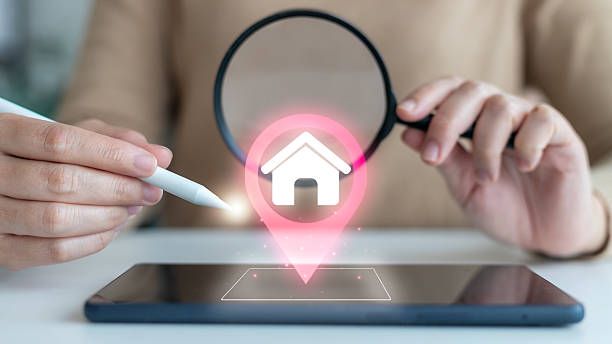
Geolocation tools use GPS, cellular data, and Wi-Fi signals to identify where a mobile device is located. In home care, these tools connect to mobile apps used by field staff. When a care worker arrives at a client home, the app records their location and time.
Home care relies heavily on field care compliance. Funding bodies, government agencies, and families need confirmation that care was delivered as scheduled. Geolocation technology replaces paper timesheets with automatic, accurate digital records.
Core Functions of Location Tools in Field Care
- Automatic Check-Ins: The system records when a worker enters a predefined area around a client home.
- Time Logging: Arrival and departure times are tracked automatically to simplify payroll.
- Emergency Alerts: Care workers can press a panic button inside the app to send their exact location to supervisors.
- Schedule Management: Office teams can see if visits are running late and adjust schedules in real time.
When planning your care delivery models, you can read our Support at Home Program Guide to understand how structural shifts affect daily operations.
Remote Staff Monitoring and Verification of Visit
Managing a distributed workforce means you cannot visually confirm every shift. Remote staff monitoring gives office managers visibility over daily operations without needing constant phone calls.
Verification of visit is the process of confirming that a care worker was physically present at the client home during the scheduled care window. This process protects both the agency and the worker.
- Sample Flow of Geolocation Visit Verification
- The care worker opens the app upon arrival.
- App verifies GPS coordinates match client home.
- Arrival timestamp is logged automatically.
- Care worker completes required tasks and logs out.
- The system generates compliance records for billing.
Benefits of Automated Verification
- Accurate Billing: You can bill clients and government programs based on precise time spent in the home.
- Fair Compensation: Care workers receive exact pay for the time they spend delivering care and traveling between sites.
- Reduced Dispute Risks: Digital location records resolve disputes about late arrivals or missed appointments quickly.
- Better Coordination: If a visit is missed, office administrators receive immediate alerts so they can dispatch replacement staff.
Key Insight
Verification of visit is not just an administrative requirement. It acts as a digital safety net that confirms care workers reached their destinations safely.
Home Care Worker Safety in the Field
Field care workers often work alone in unknown or remote areas. Home care worker safety is a top priority for agency leaders who must meet strict duty of care obligations.
When workers enter high-risk environments, location services give them a direct connection to emergency support. If an emergency occurs, supervisors do not have to guess where the worker is located.
Safety Features Offered by Location Systems
- Panic Buttons: A simple tap on a smartphone screen notifies the response team and sends precise GPS coordinates.
- Overdue Visit Alerts: If a shift exceeds its scheduled time without an update, the system alerts managers to check on the staff member.
- Hazard Awareness: Apps can flag known hazards at a specific address before the worker enters the home.
- Check-In Timers: Workers set a timer before entering remote areas. If they do not reset the timer, an alert triggers automatically.
Having a structured emergency plan is essential for field safety. You can review our Aged Care Incident Response Plan to build effective protocols for your team.
Verification of Visit vs. Staff Privacy
While location technology offers major benefits, staff privacy concerns often arise. Care workers may worry that management is watching their every move, even during breaks or after work hours.
To build trust, care providers must clearly define the difference between visit confirmation and continuous tracking.
- Comparison: Point-in-Time vs. Continuous GPS
- Feature | Details
Point-in-Time Check-In
Records location ONLY at check-in/out.
- Continuous GPS Tracking | Tracks location constantly during shift.
- Privacy Impact | High privacy protection for workers.
- Best Used For | Standard visit verification and timesheets.
How to Respect Staff Privacy
- Limit Tracking Windows: Only track location during active shift hours or when the app is actively in use.
- Use Geofencing: Create virtual perimeters around client homes so location data is only captured when entering or leaving the site.
- Transparent Settings: Ensure workers can see when location services are active on their mobile devices.
- Clear Rules: Create plain-language workplace policies that explain how location data is collected, stored, and used.
Managers should clearly explain that the goal of geolocation tracking home care software is support and verification, not constant surveillance.
To establish strong administrative guidelines for your organization, review our Clinical Governance Policy Template.
Field Care Compliance and Data Management
Collecting location data introduces legal and regulatory obligations. Agencies must handle GPS logs with care, ensuring data privacy laws are fully met.
Field care compliance requires care providers to store verification data securely, limiting access to authorized personnel only.
Data Lifecycle for Location Records
- Collection: GPS logs captured at check-in.
- Storage: Data encrypted and sent to secure servers.
- Access: Only managers and billing teams view logs.
- Retention: Records kept per regulatory standards.
- Deletion: Files purged safely after retention period.
Steps for Safe Data Handling
- Encrypt Data: Use secure encryption protocols for data transmitted from mobile devices to central servers.
- Restrict Access: Limit access to location records to payroll, compliance officers, and direct supervisors.
- Set Retention Limits: Delete location records once the required retention period for audit purposes ends.
- Maintain Audit Logs: Keep track of who views or downloads staff location logs.
Clear communication regarding data policies prevents misunderstandings. You can read our Open Disclosure Glossary to learn more about maintaining open, honest communication with staff and clients.
Additionally, managing compliance across field teams often involves tracking specialized data points. You can read our guide on Restrictive Practices Data Approach for insights on handling complex data reporting in care environments.
Comparing Geolocation Methods for Home Care
Care providers can select from several technical methods to record field visits. The table below outlines common options, their operational benefits, and privacy impacts.
- Verification Method | How It Works | Primary Benefit | Privacy Level | Best Suited For


Best Practices for Implementation
Introducing geolocation tracking home care solutions requires clear management strategies. Taking a thoughtful approach helps staff accept the technology and reduces pushback.
Step 1: Involve Staff Early
- Explain the reasons for adopting location tools before launching them.
- Highlight safety features, such as emergency panic alerts and automated check-ins.
- Address privacy concerns directly in open team meetings.
Step 2: Choose the Right Technology
- Select software that offers point-in-time check-ins or geofencing rather than continuous tracking whenever possible.
- Pick apps with simple interfaces that require minimal training for care staff.
- Make sure the solution works offline in areas with weak cellular coverage.
Step 3: Write Clear Workplace Policies
- Document exact rules on when location tracking is active.
- State clearly that off-duty tracking is strictly prohibited.
- Outline how location disputes (e.g., GPS drift) will be handled fairly.
Step 4: Provide Practical Training
- Conduct hands-on training sessions showing staff how to use the app.
- Teach workers how to turn off location services when taking scheduled breaks or ending shifts.
- Show administrative staff how to interpret location alerts without making quick assumptions.
Frequently Asked Questions
What is geolocation tracking in home care?
Geolocation tracking uses GPS and mobile device data to confirm when a care worker arrives at or leaves a client's residence. It helps agencies verify visits, process accurate payroll, and protect lone workers in the field.
Does location tracking run all day on staff phones?
No. Most home care applications only capture location coordinates at specific moments, such as when a care worker taps check-in or check-out. Agencies can configure settings to ensure tracking is inactive outside of working hours.
How does location tracking protect care worker safety?
Location systems provide emergency panic features, automated safety check-ins, and real-time positioning. If a care worker encounters a dangerous situation or fails to log out of a visit on time, managers receive alerts with the exact coordinates to send help.
What happens if a home care worker loses cellular signal?
Modern home care apps store location data locally on the device when offline. Once the device reconnects to a cellular or Wi-Fi network, the cached check-in data syncs automatically with central management systems.
Can staff refuse geolocation tracking on personal devices?
Agencies typically set clear policy guidelines for visit verification. When staff use personal devices (BYOD), apps can be set to only access location while the app is actively in use, keeping personal time private.
Conclusion
Finding the right balance between staff accountability and safety is an ongoing process for home care providers. When implemented thoughtfully, geolocation tracking home care systems strengthen field compliance, secure billing records, and protect lone care workers. By choosing transparent methods like point-in-time check-in and geofencing, your agency can build operational efficiency while maintaining staff trust. Governa AI supports home care leadership with clear policies, framework templates, and guidance for regulatory compliance.
Transform Your Home Care Operations Today
Streamline your clinical governance, improve field compliance, and protect your care workforce with expert templates and operational guides from Governa AI.
Explore Governa AI Solutions